
SSH (Secure Shell) is the primary protocol enabling encrypted remote access, file transfer, and automated command execution across modern software deployment workflows. Every time a developer pushes code to a production server on AWS, Azure, or a physical data center, SSH is the protocol making that connection trustworthy. Understanding the role of SSH in deployment means understanding how secure, repeatable code delivery actually works at the infrastructure level. This guide covers SSH deployment security, key management, automation patterns, and the pitfalls that catch even experienced engineers off guard.
How does SSH enhance security in deployment workflows?
SSH secures deployment traffic through end-to-end encryption on TCP port 22, replacing older, plaintext alternatives like Telnet and FTP. Every byte of data traveling between your CI/CD pipeline and the target server is encrypted. That matters because deployment pipelines often carry credentials, configuration files, and application secrets.
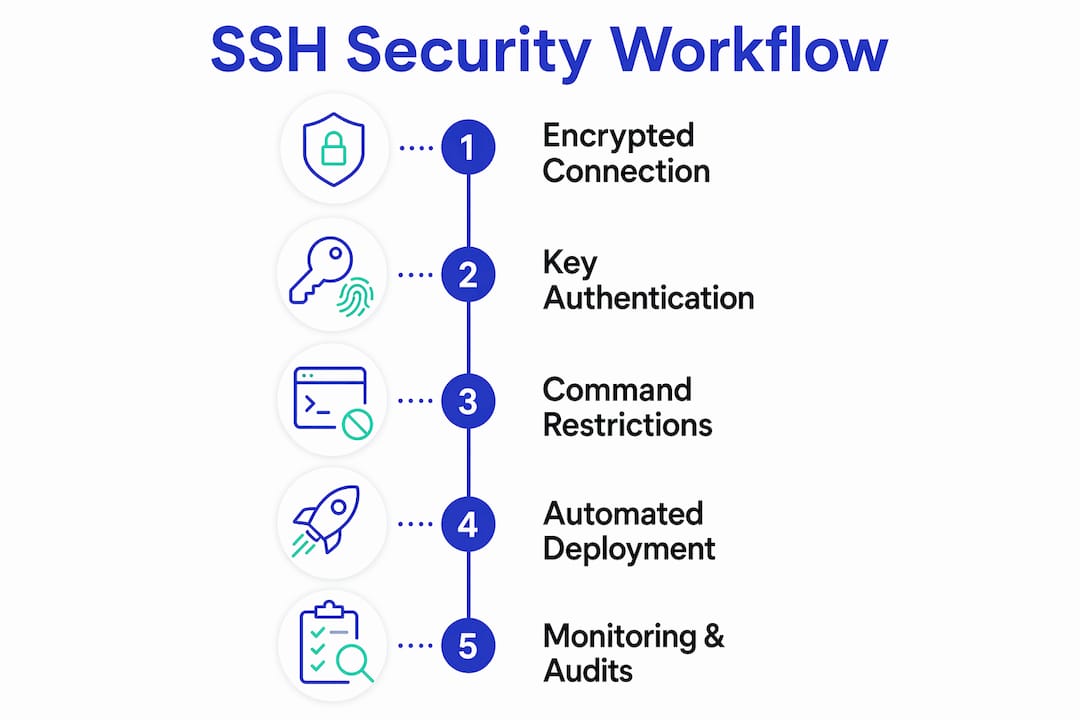
Authentication is where SSH deployment security gets its real strength. SSH supports two main methods: password authentication and public/private key pairs. Key pair authentication is far stronger. A private key never leaves your local machine or CI runner; the server only stores the corresponding public key. This means there is no password to intercept or brute-force over the network.

SSH also supports the principle of least privilege through deploy keys. Deploy keys are repository-scoped SSH keys added to GitHub or another version control platform, giving a server read access to one specific repository without exposing any personal credentials. A compromised deploy key affects only that one repository, not your entire infrastructure.
Security hardening goes further with daemon-level controls:
- Limit authentication attempts. Setting MaxAuthTries to 3 and disabling root login reduces the attack surface on any public-facing server.
- Disable password authentication. Force key-only login in your
sshd_configto eliminate brute-force risk entirely. - Change the default port. Moving SSH off port 22 reduces automated scanning noise, though it is not a substitute for real hardening.
- Restrict deploy user commands. The
command=directive inauthorized_keyslocks a deploy user to a specific set of allowed operations, such asgit pullorrsync, even if the key is stolen.
Pro Tip: Add no-port-forwarding,no-X11-forwarding,no-agent-forwarding to your deploy key entry in authorized_keys. This prevents an attacker from using a stolen deploy key to tunnel traffic or escalate access.
Command restrictions are particularly powerful for preventing lateral movement. If an attacker compromises a deploy key, they cannot open a full shell session. They can only run the exact commands you pre-approved. That single control can contain a breach to one server and one action.
What are SSH best practices for managing keys and access?
Key management is where most deployment security breaks down in practice. The fix is straightforward once you know the rules.
-
Use one key per repository per server. One unique SSH key per repository isolates risk. If a key is compromised, the blast radius is limited to that single repository and server combination. Sharing one key across all deployments means one breach exposes everything.
-
Never use personal keys on servers. Personal SSH keys carry your full identity and permissions. Deploy keys are purpose-built for server-side access and carry only the permissions you explicitly grant. Keep them separate without exception.
-
Use an SSH config file. The
~/.ssh/configfile maps host aliases to specific key identities, preventing authentication failures when you manage multiple repositories and servers. Without it, SSH may attempt the wrong key and lock you out after too many failed attempts. -
Rotate keys on a schedule. Treat SSH keys like passwords. Set a rotation schedule, revoke old keys immediately after rotation, and audit your
authorized_keysfiles regularly. Stale keys from former team members are a common and avoidable vulnerability. -
Integrate keys with your CI/CD pipeline securely. Store private keys as encrypted secrets in tools like GitHub Actions, GitLab CI, or Jenkins. Never hardcode a private key in a repository or Dockerfile. The CI runner injects the key at runtime, uses it once, and discards it.
-
Avoid SSH agent forwarding in production. Agent forwarding is convenient for multi-hop connections during development, but it exposes your local key agent to every server in the chain. Use jump hosts with
ProxyJumpinstead for production access.
Pro Tip: Run ssh-keygen -l -f ~/.ssh/your_key periodically to confirm key type and length. Ed25519 keys are the current recommended standard. RSA keys below 4096 bits should be replaced.
How does SSH simplify deployment operations and automation?
SSH is not just a security tool. It is the execution engine behind most deployment automation. Understanding how SSH simplifies deployment means looking at the specific tasks it handles in a typical pipeline.
Remote command execution is the most direct use. A single ssh user@server 'cd /var/www && git pull' command can trigger an entire deployment sequence. CI/CD platforms like GitHub Actions and GitLab CI use this pattern constantly, connecting to target servers and running deployment scripts without any human interaction.
File transfer via SFTP is the modern standard. OpenSSH 9.0 and later replaced the legacy SCP protocol internally with SFTP to address security issues in older shell-interpreted transfers. SFTP runs over the same SSH connection, so you get encrypted, authenticated file delivery with no extra configuration.
Atomic deployments take SSH automation to the next level. The technique uses timestamped release directories with symlink swapping to achieve near-zero downtime. Each deployment creates a new directory, populates it completely, then flips a current symlink to point at the new release. If anything goes wrong, rolling back means flipping the symlink back. The live server never serves a half-deployed state.
| Deployment task | SSH method | Key benefit |
|---|---|---|
| Remote command execution | ssh user@host 'command' | Automates server-side scripts without manual login |
| File transfer | SFTP over SSH | Encrypted, authenticated file delivery |
| Atomic deployment | Symlink swap via SSH | Zero downtime and instant rollback |
| Multi-server deployment | SSH in parallel scripts | Consistent deployment across server fleets |
| Legacy system access | Direct SSH connection | Reliable access when orchestration tools fail |
Multi-server deployments use SSH in parallel shell scripts or tools like Fabric and Capistrano. Each server receives the same commands over its own SSH connection, ensuring consistent state across a fleet. This pattern works equally well for two servers or two hundred.
What are common pitfalls when using SSH in deployment?
The most common misconception is that SSH keys can be shared across all deployment activities. They cannot. Sharing a single private key between developers and automated deploy processes eliminates the audit trail and multiplies the blast radius of any compromise.
Watch for these specific pitfalls:
- Leaving root login enabled. Many cloud providers ship servers with root SSH access active. Disable it immediately and use a dedicated deploy user with sudo only where necessary.
- Ignoring
authorized_keyshygiene. Old keys from contractors, former employees, or decommissioned CI runners accumulate silently. Audit this file on every server at least quarterly. - Misconfiguring the SSH daemon. A typo in
sshd_configcan lock you out of a server entirely. Always test config changes withsshd -tbefore restarting the daemon, and keep a console or out-of-band access method available. - Confusing cloud-native and legacy SSH roles. In Kubernetes environments, direct SSH to pods is rare and generally discouraged. SSH remains critical for node-level access, VM management, and as a fallback when orchestration tools are unreachable.
- Using SCP in new pipelines. SCP is deprecated in modern OpenSSH. New pipelines should use SFTP or tools built on it. Continuing to use SCP introduces protocol-level risks that SFTP resolves.
SSH remains the last line of defense for node troubleshooting and legacy system access even as Kubernetes and cloud-native orchestration dominate new infrastructure. When your orchestration layer fails, SSH is how you get in to fix it. That reality makes SSH hardening non-negotiable regardless of how modern your stack is.
Key Takeaways
SSH is the foundational protocol for secure deployment, and its correct configuration directly determines whether your deployment pipeline is a strength or a liability.
| Point | Details |
|---|---|
| Deploy keys over personal keys | Use repository-scoped deploy keys to limit access and contain any potential breach. |
| Harden the SSH daemon | Set MaxAuthTries to 3, disable root login, and force key-only authentication on every server. |
| Restrict deploy user commands | Use command= in authorized_keys to sandbox deploy access to specific operations only. |
| Use atomic deployments | Timestamped directories with symlink swaps give you zero downtime and instant rollback capability. |
| Rotate and audit keys regularly | Stale keys from former team members are one of the most common and preventable vulnerabilities. |
SSH in deployment: what I've learned the hard way
The importance of SSH in deployment only becomes obvious after something goes wrong. I have seen teams spend weeks hardening their application code while leaving their SSH configuration completely default. Root login enabled, password authentication on, no command restrictions. The application was locked down; the front door was wide open.
The key management problem is worse than most teams admit. A single shared deploy key across five repositories and three environments is not a convenience. It is a single point of failure with no audit trail. When something breaks or gets compromised, you cannot trace which repository or pipeline was the source.
What I find underappreciated is the value of SSH as a fallback in cloud-native environments. Teams running Kubernetes sometimes treat SSH as legacy technology. Then their cluster control plane has an issue and they need node-level access. SSH is how you get there. Removing it or neglecting its configuration because your stack is "modern" is a mistake you will only make once.
The shift from SCP to SFTP is also more significant than it looks. It is not just a protocol swap. It reflects a broader principle: the tools you use for deployment carry their own security posture, and outdated tools introduce risk even when everything else is configured correctly.
— Mohthshim
Deploy PHP applications with SSH security built in
Configuring SSH correctly for every new server and project takes time. Homefixnow's PHP hosting stack handles SSH deployment integration as part of the platform, so you get key-based authentication, deploy user configuration, and secure file transfer without building it from scratch.

Homefixnow supports Laravel, Symfony, and other PHP frameworks with one-click deployment workflows that follow the SSH best practices covered in this guide. Features like New Relic monitoring, automated database backups, and built-in CDN sit on top of a deployment layer that treats SSH security as a default, not an afterthought. If you are deploying PHP applications and want a platform where the security groundwork is already done, Homefixnow is worth a close look.
FAQ
What is the role of SSH in deployment?
SSH provides the encrypted connection layer for remote command execution, file transfer, and automated pipeline access during software deployment. It authenticates servers and users, protects data in transit, and enables repeatable deployments without manual intervention.
Why are deploy keys better than personal SSH keys?
Deploy keys are repository-scoped and carry only the permissions you explicitly grant, so a compromised key cannot access your full account or other repositories. Personal keys carry your complete identity and should never be placed on a server.
How does SSH enable zero downtime deployments?
SSH executes the atomic deployment pattern: each release deploys to a timestamped directory, then a symlink switches to point at the new release. The live server never serves a partial deployment, and rolling back requires only flipping the symlink.
Should I still use SSH if I run Kubernetes?
Yes. SSH remains critical for node-level access and troubleshooting when orchestration tools are unavailable. SSH acts as a fallback for direct server access in any environment, cloud-native or otherwise.
What replaced SCP for secure file transfers in deployment?
OpenSSH 9.0 replaced SCP with SFTP internally to address security vulnerabilities in the older protocol. New deployment pipelines should use SFTP or tools built on it rather than legacy SCP commands.